IGNOU Admit Card Download: The Indira Gandhi National Open University (IGNOU) is one of the largest distance-learning universities in the world. Every year, lakhs of students appear for various examinations conducted by IGNOU, including the Term-End Examination (TEE), entrance examinations, and practical examinations. One of the most important documents required before appearing in any IGNOU examination is the admit card.
The IGNOU admit card serves as an official authorization that allows students to enter the examination center and participate in the examination. Without a valid admit card, students may not be permitted to sit for their exams. Therefore, understanding the process of downloading, verifying, and using the admit card is essential for every IGNOU student.
This comprehensive guide explains everything you need to know about IGNOU admit card download, including eligibility requirements, step-by-step instructions, common issues, important guidelines, and frequently asked questions.
What Is an IGNOU Admit Card?
An IGNOU admit card, also known as a hall ticket, is an official document issued by the university before examinations. It contains important information related to the student and examination.
The admit card typically includes:
- Student name
- Enrollment number
- Program code
- Examination center details
- Exam center code
- Subject or course codes
- Examination dates
- Examination timings
- Student photograph (if applicable)
- Important examination instructions
Students must verify all details on the admit card before appearing for the examination.
Important Information and Links
| Information | Details |
|---|---|
| University Name | Indira Gandhi National Open University (IGNOU) |
| Common Document Name | Admit Card / Hall Ticket |
| Purpose | Entry permission for examinations |
| Required Credential | Enrollment Number |
| Applicable Exams | Term-End Examination (TEE), Entrance Tests, Practical Exams |
| Download Mode | Online |
| IGNOU Admit Card | Download |
| Official Student Portal | IGNOU Student Services Portal |
| Required Printout | Yes |
| Identity Proof Required | Yes, along with admit card |
| Examination Authority | IGNOU Examination Division |
| Admit Card Cost | Free |
| Recommended Print Type | Clear black-and-white or color print |
| Mandatory Verification | Student details, exam center, and subject codes |
Why Is the IGNOU Admit Card Important?
The admit card is one of the most crucial documents during examinations. It serves multiple purposes.
Examination Entry
Students must present the admit card at the examination center. Entry may be denied without it.
Identity Verification
The admit card helps invigilators verify the student’s identity and examination eligibility.
Examination Schedule
Students can view their examination dates and timings directly on the admit card.
Examination Center Information
The admit card provides complete details regarding the allotted examination center.
Official Authorization
It confirms that the student has successfully completed the necessary requirements for appearing in the examination.
Who Can Download the IGNOU Admit Card?
Generally, students can download their admit cards if they have:
- Registered for the examination.
- Submitted examination forms successfully.
- Paid the required examination fees.
- Fulfilled eligibility requirements prescribed by IGNOU.
- Received approval from the university for examination appearance.
Students whose examination forms contain errors may experience delays in admit card generation.
When Does IGNOU Release Admit Cards?
IGNOU usually releases admit cards a few weeks before the commencement of examinations. The exact release date may vary depending on:
- Term-End Examinations
- Entrance Tests
- Practical Examinations
- Special Examinations
- Project-related assessments
Students should regularly check official announcements regarding admit card availability.
Step-by-Step Process for IGNOU Admit Card Download
Downloading the admit card is a straightforward process. Follow these steps carefully.
Step 1: Visit the Official IGNOU Examination Portal
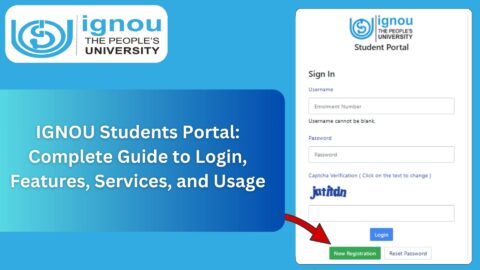
Open the official IGNOU examination or student services portal using a web browser.
Step 2: Locate the Admit Card Section
Find the link related to admit cards, hall tickets, or examination services.
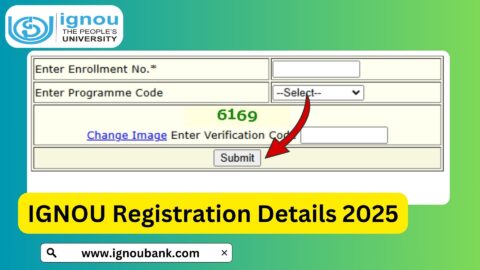
Step 3: Enter Enrollment Number
Provide your enrollment number correctly.
Step 4: Select Program Details
Some examinations may require students to choose their program or examination type.
Step 5: Submit Information
Click the submit or search button.
Step 6: View Admit Card
The system will display your admit card on the screen.
Step 7: Download PDF
Save the admit card in PDF format for future use.
Step 8: Print the Admit Card
Take a clear printout and keep multiple copies for safety.
Details Mentioned on the IGNOU Admit Card
Students should carefully verify all information printed on the admit card.
Personal Information
- Full name
- Enrollment number
- Program name
- Course details
Examination Information
- Examination date
- Examination timing
- Course code
- Subject name
Examination Center Information
- Center code
- Center address
- Reporting instructions
Administrative Information
- University guidelines
- Examination rules
- Candidate instructions
How to Verify Admit Card Information?
After downloading the admit card, students should review all information carefully.
Check the following:
- Correct spelling of name
- Accurate enrollment number
- Correct course codes
- Examination dates
- Examination center location
- Program information
If any discrepancy is found, students should contact the concerned university authorities immediately.
Common Problems During Admit Card Download
Many students face minor issues while downloading their admit cards. Most problems can be resolved easily.
Incorrect Enrollment Number
Entering an incorrect enrollment number can prevent access to the admit card.
Solution:
Double-check the enrollment number before submission.
Admit Card Not Available
Sometimes students cannot find their admit cards online.
Possible reasons include:
- Examination form not processed
- Fee payment pending
- Technical delay
- Server issues
Website Loading Issues
Heavy traffic may slow down the website during peak periods.
Solution:
Try accessing the portal during non-peak hours.
Browser Compatibility Issues
Some browsers may not display documents correctly.
Solution:
Use updated browsers such as Chrome, Firefox, Edge, or Safari.
PDF Download Errors
PDF files may fail to open if the device lacks a PDF reader.
Solution:
Install a PDF viewer application.
What to Do If the Admit Card Is Not Generated?
If your admit card is unavailable, follow these steps.
Verify Examination Form Submission
Confirm that your examination form was submitted successfully.
Check Fee Payment Status
Ensure the examination fee has been paid and processed.
Review University Notifications
Sometimes admit cards are released in phases.
Contact Regional Center
Reach out to your regional center for clarification.
Contact Examination Division
The IGNOU Examination Division can assist with examination-related concerns.
Documents Required Along With the Admit Card
Students should carry additional documents to the examination center.
Valid Identity Proof
Accepted examples include:
- Aadhaar Card
- PAN Card
- Passport
- Driving License
- Voter ID
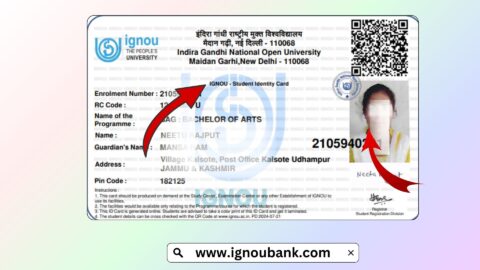
Student Identity Card
Carrying the IGNOU student ID card is recommended.
Passport-Size Photographs
Keeping recent photographs can be useful in case of verification requirements.
Instructions for Examination Day
Students should follow all examination guidelines carefully.
Reach Early
Arrive at the examination center well before reporting time.
Carry Required Documents
Bring:
- Admit card
- Identity proof
- Student ID card
Follow Dress Guidelines
Wear comfortable and appropriate clothing.
Avoid Prohibited Items
Do not carry:
- Mobile phones
- Smart watches
- Electronic gadgets
- Unauthorized study materials
Follow Invigilator Instructions
Always comply with examination center rules.
Benefits of Downloading the Admit Card Early
Many students wait until the last moment, which can create unnecessary stress.
Downloading early offers several advantages.
Avoid Technical Issues
Website traffic may increase near examination dates.
Time for Corrections
Early download allows sufficient time to report errors.
Better Exam Planning
Students can review schedules and examination center locations.
Reduced Stress
Having documents prepared in advance improves confidence.
Tips for Keeping the Admit Card Safe
Students should take precautions to avoid losing their admit cards.
Save Digital Copies
Store the PDF on:
- Mobile phone
- Laptop
- Cloud storage
Print Multiple Copies
Keep at least two or three printed copies.
Use a Document Folder
Store examination-related documents together.
Keep Backup Files
Email a copy to yourself for easy retrieval.
IGNOU Practical Examination Admit Card
Students appearing for practical examinations may also receive separate instructions.
Important points include:
- Practical schedules may differ from theory exams.
- Regional centers may issue separate notices.
- Students should verify practical examination dates carefully.
IGNOU Entrance Examination Admit Card
Certain IGNOU programs may require entrance examinations.
For entrance tests, the admit card generally contains:
- Examination venue
- Candidate roll number
- Reporting time
- Examination instructions
Students should review all details thoroughly before the examination date.
Mistakes to Avoid During Admit Card Download
Avoid these common mistakes.
Waiting Until the Last Day
Download as soon as the admit card becomes available.
Ignoring Details
Always verify personal and examination information.
Losing Printed Copies
Maintain backups.
Using Incorrect Enrollment Number
Enter accurate information while downloading.
Ignoring Official Instructions
Read every instruction printed on the admit card.
How IGNOU Conducts Examinations?
IGNOU examinations are designed to ensure fairness and transparency.
The process generally includes:
- Student registration
- Examination form submission
- Admit card release
- Examination center allocation
- Conduct of examinations
- Evaluation
- Result declaration
The admit card plays a central role in this process because it links the student to their assigned examination schedule and center.
Preparing for Exams After Downloading the Admit Card
Once the admit card is downloaded, students should focus entirely on preparation.
Recommended steps include:
- Create a study schedule.
- Review course materials.
- Solve previous question papers.
- Practice assignments and notes.
- Revise important concepts regularly.
- Organize examination documents.
Effective preparation combined with proper documentation can significantly improve the examination experience.
FAQ about IGNOU Admit Card Download 2026
What is an IGNOU admit card?
An IGNOU admit card is an official document that permits a student to appear in university examinations.
Is the admit card mandatory?
Yes. Students generally need a valid admit card to enter the examination center.
Can I download the admit card online?
Yes. IGNOU provides admit cards online for eligible students.
What information is required to download the admit card?
Typically, students need their enrollment number and relevant examination details.
Can I appear for the examination without an admit card?
Generally, no. Students are expected to carry their admit card along with valid identification.
What should I do if there is an error in my admit card?
Contact the concerned IGNOU authorities or regional center immediately for correction.
When is the admit card released?
Admit cards are usually released before the examination schedule begins.
Do I need a color printout?
A clear printout is usually sufficient, but students should ensure that all details are visible.
Can I carry a digital copy on my phone?
A printed copy is generally recommended and may be required at the examination center.
What should I do if I lose my admit card?
Download and print another copy from the official portal if it remains available.
Conclusion
The IGNOU admit card is one of the most important documents for every student appearing in university examinations. It acts as proof of eligibility, provides examination details, and enables entry into the examination center. Downloading the admit card early, verifying all information, and keeping multiple copies can help students avoid last-minute complications.
Students should carefully follow the official instructions mentioned on the hall ticket and carry all necessary documents on examination day. Proper preparation, timely documentation, and awareness of examination guidelines can contribute significantly to a smooth and stress-free examination experience.
Whether you are appearing for a Term-End Examination, practical examination, or entrance test, ensuring that your IGNOU admit card is downloaded and verified well in advance should be a top priority. By following the steps and recommendations outlined in this guide, students can confidently approach their examinations and focus on achieving academic success.